[ norboten ]
Features

What Norboten actually does

Everything below exists in the repository today, and everything that grades you runs against a real machine. Where something is planned rather than built, it says so.

The part that decides whether you learned it — the TUI
Labs and grading

The part that decides whether you learned it

A lab is a directory of faults, checks, hints and a reference solution. The grading is the product.

Checks that observe, not compare
Each check runs in the guest and returns pass/fail with a message written for someone who just failed, plus raw evidence you can read. docs/lab-spec.md §5
Check → reboot → check
Both passes must pass. If the machine never comes back, every check fails with the serial console tail as evidence.
Partial scores per objective
Weighted checks map to the exam's own objectives, so a score says which skill is missing, not just how far off you were.
Reset in about ten seconds
A disk snapshot taken before the faults, restored and cold-booted, with the faults re-applied. Alpine 9.8 s · Rocky 9.9 s
A console when there is no network
k on a lab attaches to the guest's serial port — the only way into a machine that stopped in emergency mode, which is where lab 3 starts. b presses reset and lands you in the bootloader.
Timed exam simulation
Ninety minutes, fifteen tasks, a 70% pass line, an unknown root password and no sudo — recovery from the bootloader, relabel included.
What runs the machines — the TUI
The engine

What runs the machines

Pinned, reproducible, and built so that a broken guest cannot break grading.

Golden images, built by Ansible
The distribution's own cloud image plus every package the track needs, a serial console, a persistent journal and per-command shell history. rocky-10 · alpine · ubuntu-26.04 · ubuntu-26.04-automation · ubuntu-26.04-devops
A pinned Lima and QEMU
Norboten downloads and checksums its own Lima into ~/.norboten rather than using whatever the machine happens to have.
A runner with no dependencies
The code injected into a guest is standard-library Python. Nothing is ever installed inside a lab VM.
A separate grading account
Checks run as norboten-grader, not as you — so a lab can take your sudo away (and you can break your own) without breaking the grader.
Offline once cached
Images and labs are content-addressed and cached; Norboten needs the network only to fetch them and to show the boards; the tutor runs on your own model.
Nothing of yours inside
No host mounts, no port forwarding, no SSH agent forwarding. The VM sees your public key and nothing else.
A terminal that keeps up with you — the TUI
Interface

A terminal that keeps up with you

norboten opens one full-screen interface. Everything a learner does is a key in it, and doctor has already checked the machine by the time the first screen draws.

Eight sections, eight keys
Home, Labs, Theory, Journals, Play, Ratings, You and System along the top, on 1 to 8 or the arrows, with the account, doctor and the running lab VMs always in view. Ctrl+P lists what the app can do.
Every lab action on a key
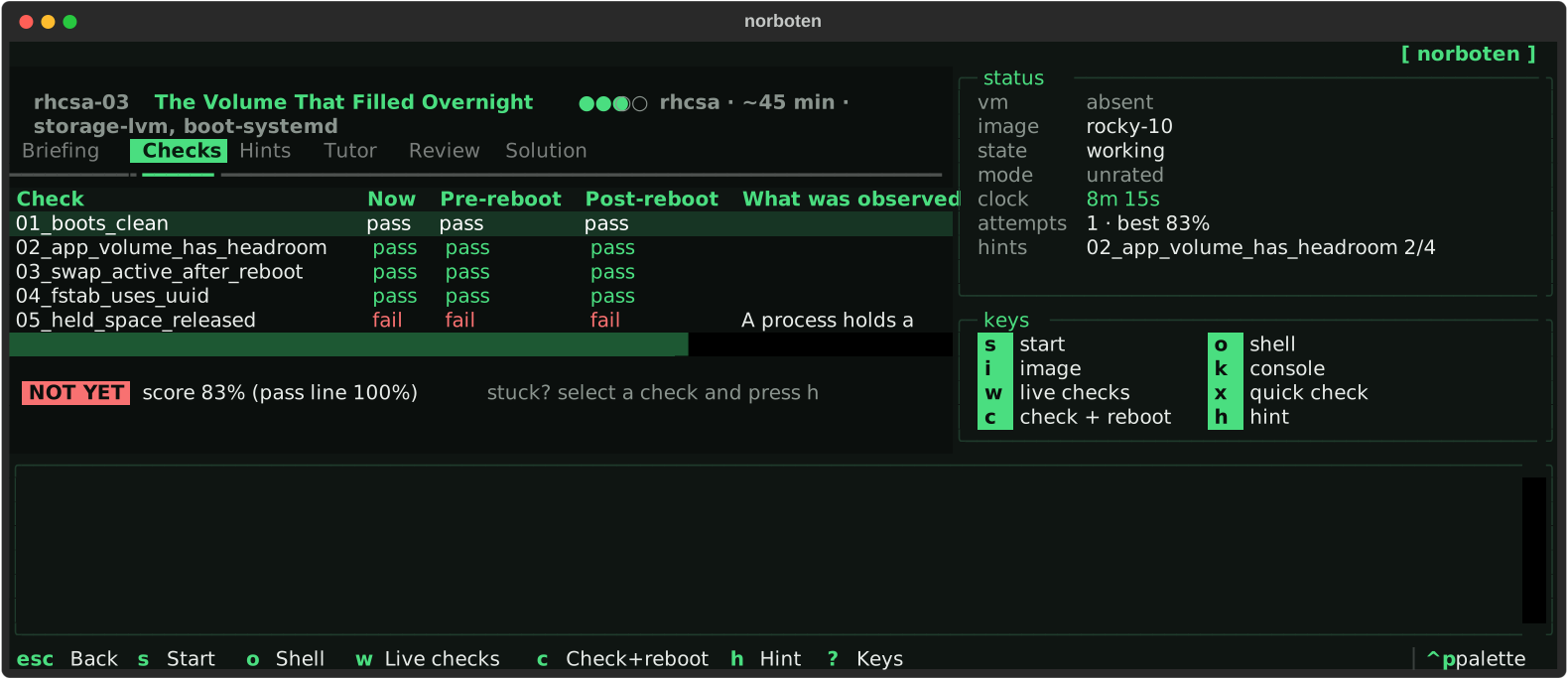
s starts, o opens a shell, w watches the checks, c checks and reboots, h hints, t asks the tutor, k and b open the consoles — and the VM work runs in the background while the screen stays live.
Live check panel
Work in one terminal, watch the checks turn green in another. A change shows up in about two seconds. measured: 2.0 s
Hint ladder, four levels
Symptom, then the kind of evidence, then the component, then the problem — and never the command. You decide when to go deeper.
Session timer
Counts up, or down for the timed exam simulation, where being over the limit is a fail.
Theory in the same place
Each lab has a Theory tab; topics have their own trainer with explanations and references after every answer.
Questions that had to earn their place — the TUI
Theory and AI

Questions that had to earn their place

A wrong question teaches a wrong thing, so the pipeline is stricter than the writing.

Executable verification
A question about what a snippet prints carries the snippet. It runs in a container with no network before the question is accepted. 132 of the repo's own questions are executed
Blind cross-model solving
At least two models that never saw the key must answer exactly the key, and neither may call the question ambiguous.
A critic, then a duplicate check
One model reviews for a second defensible answer or a wrong fact; the prompt is then compared against every question already in the banks.
Drafted locally, read by a person
Questions are drafted on a Claude subscription, off the server, with who wrote each, who solved it blind and what the snippet printed. A maintainer reads every draft before it joins a bank; g on Theory drafts practice ones for yourself.
The reading, checked against a machine — the TUI
Journals

The reading, checked against a machine

A journal is what a good colleague would explain after the lab: how the thing works, and how it goes wrong.

Six sections, every time
The mechanism, a failure walked through, the wrong turns people take, a cheat sheet, and review questions with their answers.
Every walkthrough replayed
Each walkthrough was run on a real lab VM, and the console output in it is what the machine printed. Where something was not captured, it says so.
In the terminal, on the site, on paper
4 reads them in the TUI; the site renders them; e writes a PDF with a light page, running headers and page numbers.
The consultant reads them — carefully
Journals are searchable by the site's consultant, except the walkthrough, which is the fix for that lab's machine.
Watch the work, not a screenshot of it — the TUI
Play

Watch the work, not a screenshot of it

A recording of someone fixing a machine says more than any feature list. So the terminal is recordable, and the recording is honest.

A real pseudo-terminal
The shell runs in a PTY and we copy bytes both ways. Pipes, editors, less, tab completion and colour all record correctly, because nothing interprets them. asciicast v2 — asciinema plays it too
Commands and diffs, side by side
What was typed is logged; what it changed is a diff, taken by keeping the guest's /etc under git for the session. The replay shows both.
Live, with a blinking dot
P on a lab publishes the session while it runs. Viewers get server-sent events and a read-only terminal.
A player written here
A screen buffer, the escape sequences a shell actually emits, and a clock — one file, no dependency, no framework.
Recording is opt-in twice
o records nothing. p writes to your own machine. Only P publishes, after asking, and recordings expire after a week.
Theory is never recorded
Answers and scores only. There is no terminal to record and no reason to keep one.
A number that admits what it does not know — the TUI
Ratings and profiles

A number that admits what it does not know

Optional, and off the critical path: everything works signed out. What an account adds is a measurement you can argue with.

Glicko-2, per topic
Fifteen topics from the EX200 and EX342 objectives plus the automation subjects. Every rating carries its deviation, so a new profile reads 1500 ± 350 instead of pretending to be precise. docs/lab-spec.md §12
The lab is the opponent
Difficulty 1 to 5 plays at 1100 to 1900. Passing inside the clock wins; failing, or running over, loses. Beating a hard lab is worth what it should be.
The clock is part of the result
5, 10, 15, 20 or 30 minutes by difficulty, unless the lab sets its own. An unrated lab is recorded and never rated — retry it as often as you like. only a rated lab, judged on the server, moves the rating
A profile drawn from the work
A radar of the nineteen topics, a year-long contribution heatmap, and the history with what each attempt did to the rating — all SVG this repository generates itself.
Sign-in that holds no secret
GitHub, and nothing else — no password to steal and no email kept, on the site or in the terminal. The GitHub token is revoked the moment it has said who you are. A remembered machine keeps Norboten's token at mode 0600 for ninety days; an unremembered one never writes it down at all.
The server decides what an attempt was worth
Difficulty, topics and the time limit are read from the lab manifest, never from the request. A client cannot pick an easy opponent.
For lab authors

Writing a lab is a pull request

The format is small enough to hold in your head, and the gate tells you the truth before a reviewer has to.

One directory, six things

A manifest, a briefing that states symptoms only, break scripts, check scripts, a hint ladder and a reference solution.

Validated without a VM

norboten dev lint checks the manifest, the hint ladder, the objective mapping and that guest scripts import nothing but the standard library.

Then validated with one

norboten dev validate runs the whole gate locally, on each base image the lab claims to support.

Shipped as an OCI artifact

Labs are built from images/Dockerfile.lab, pushed to GHCR and signed with cosign; u in the Labs section pulls and verifies one.

Self-hosting

Run the whole thing yourself

The server side is one machine and one Docker Compose project, described in code and rehearsed on a laptop before it touches a server.

One server, not a cloud

One netcup VPS, ordered by hand and bootstrapped by Ansible. No managed services, no Kubernetes: learners' VMs run on learners' machines, so the server carries accounts, text and a small model.

ansible/playbooks/bootstrap.yml · 2 vCPU, 4 GB

Ansible for the host, Compose for the rest

Firewall, unattended upgrades, keys-only SSH, Docker; then Caddy, the API, PostgreSQL, Redis, Ollama, Prometheus and Grafana as one compose project.

Deploy on push, roll back on its own

A push to main tests against real PostgreSQL and Redis, builds the image and the site, and runs deploy.sh — which goes back to the previous tag if the new one does not report ready.

Backups that are restore-tested

The nightly job restores the dump it just took into a scratch database and counts rows before it keeps it, then copies it off the box with restic.

The whole stack on a laptop

make stack-up runs the production compose project locally with sample data; make server-rehearsal runs the production playbook against an Ubuntu VM.

Rated and unrated

Two halves, and only one of them is a score

Unrated labs, banks and journals

Public, offline, complete. The faults, the checks and the reference solution are in the repository; reading them is allowed and often the point. No account, no server, no clock unless you ask for one. This is the larger half, and it is what the catalogue on this site lists today.

Rated labs and rated theory

Graded by the server against your account, and the only work that moves a rating. Their answers are not published: the material lives in a private repository attached here as the rated/ submodule, the verdict is computed away from your machine, and what reaches the guest never lands in ~/.norboten.

Why it is split that way, how a rated attempt is graded from signed machine state, and the honest limit of doing it at all: Rated and unrated labs.

The interface

Every screen, as it actually renders

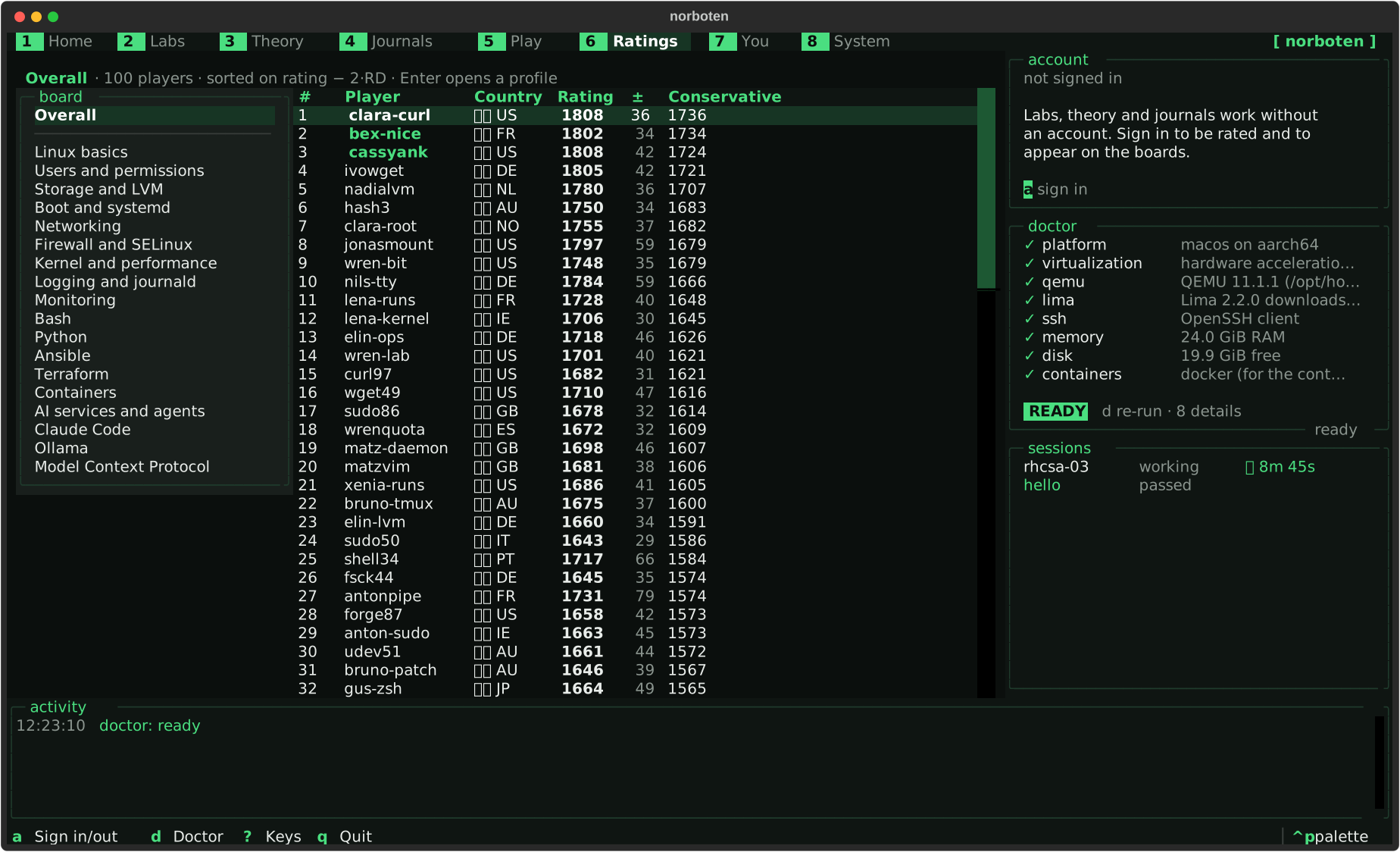
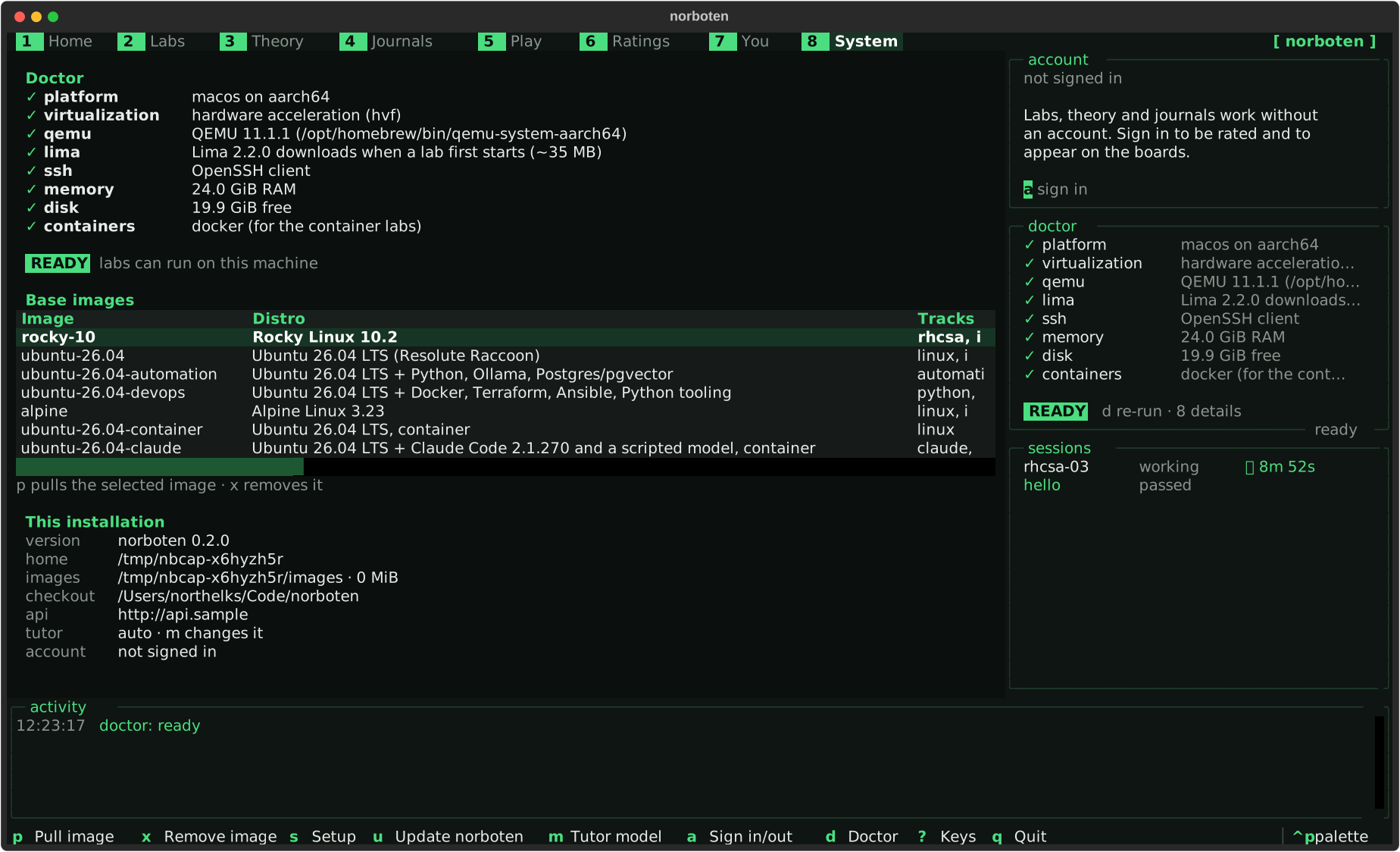
Not mock-ups: Textual renders the running app to SVG, so these are the real widget tree at the real size. Ratings and profiles show generated sample accounts. make captures regenerates them.

Home
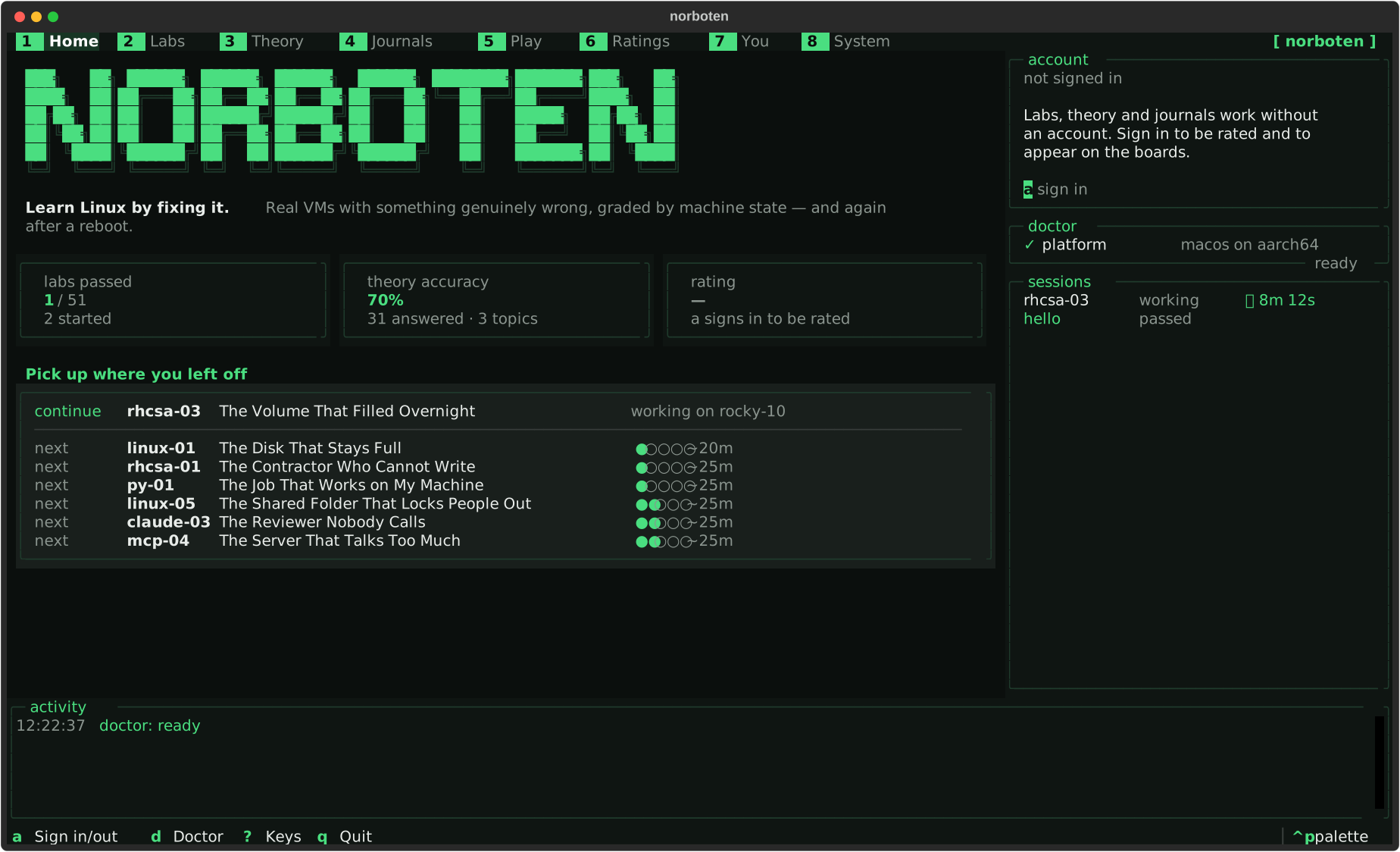
Home Doctor runs as it opens. The labs you left half-done come first.
The catalogue
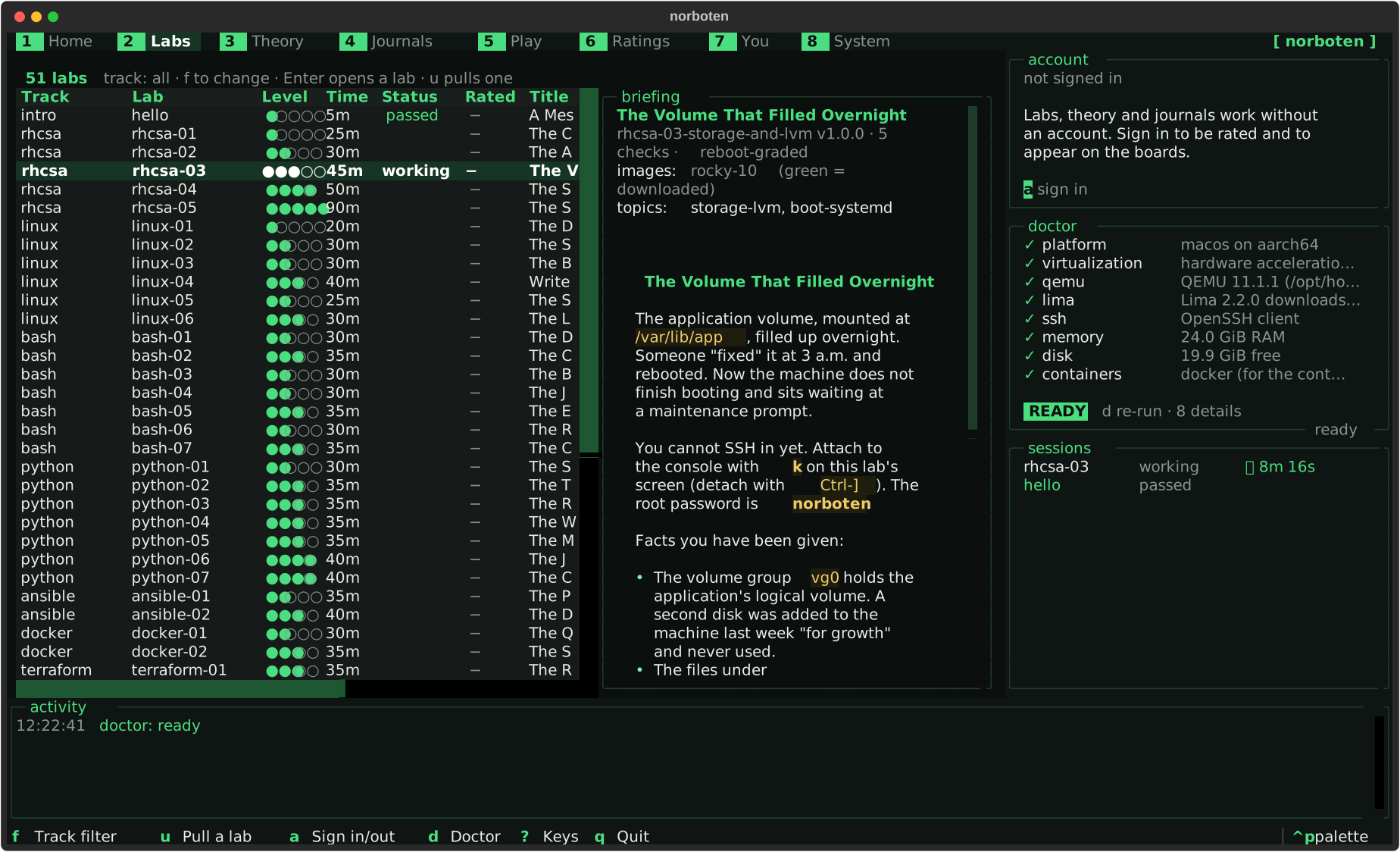
The catalogue Every lab with your status and whether it is rated, its briefing beside the list, and f to narrow it to one track.
A lab
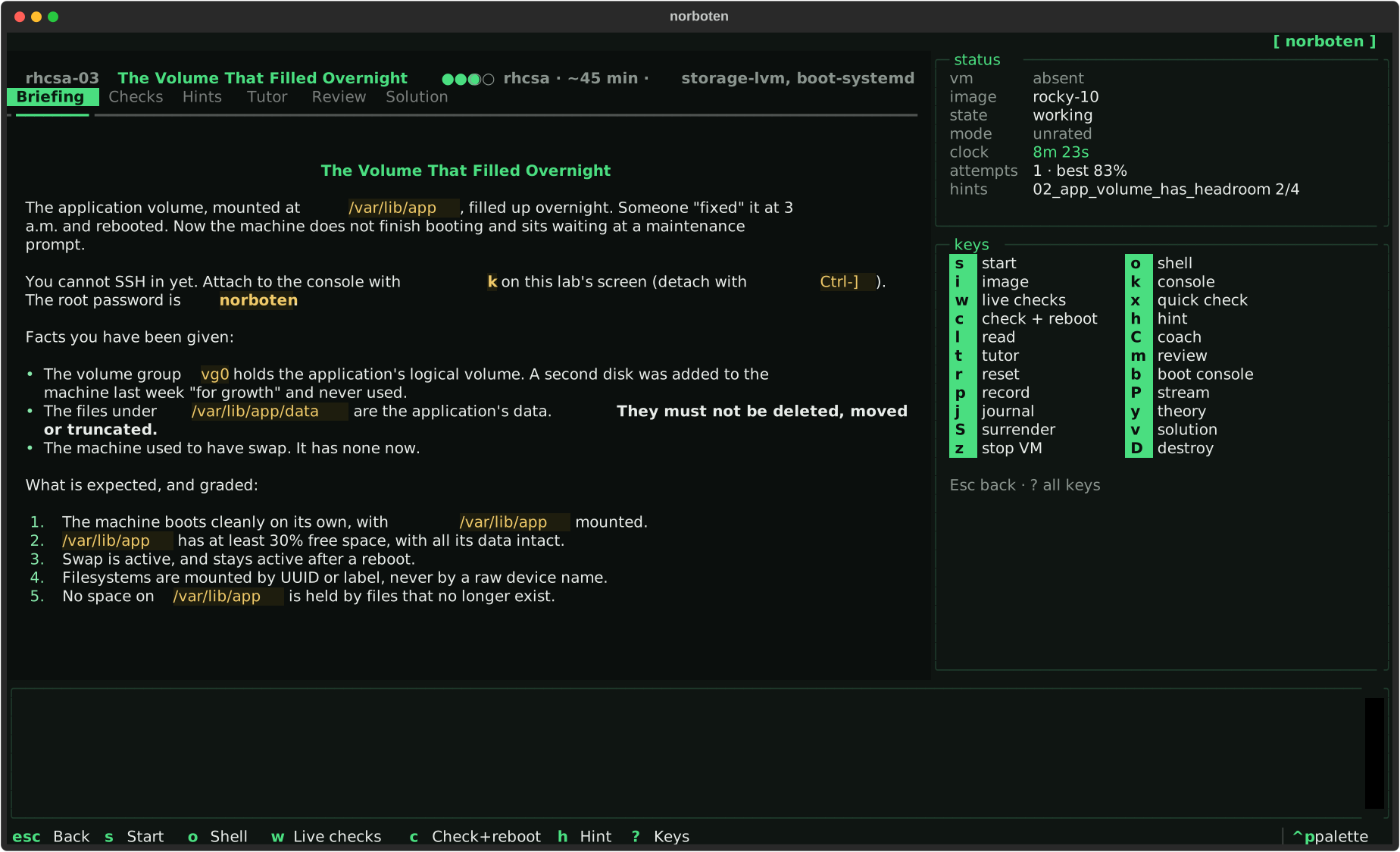
A lab Every action on a key: start, shell, live checks, check + reboot, hints, the tutor, the consoles.
Theory
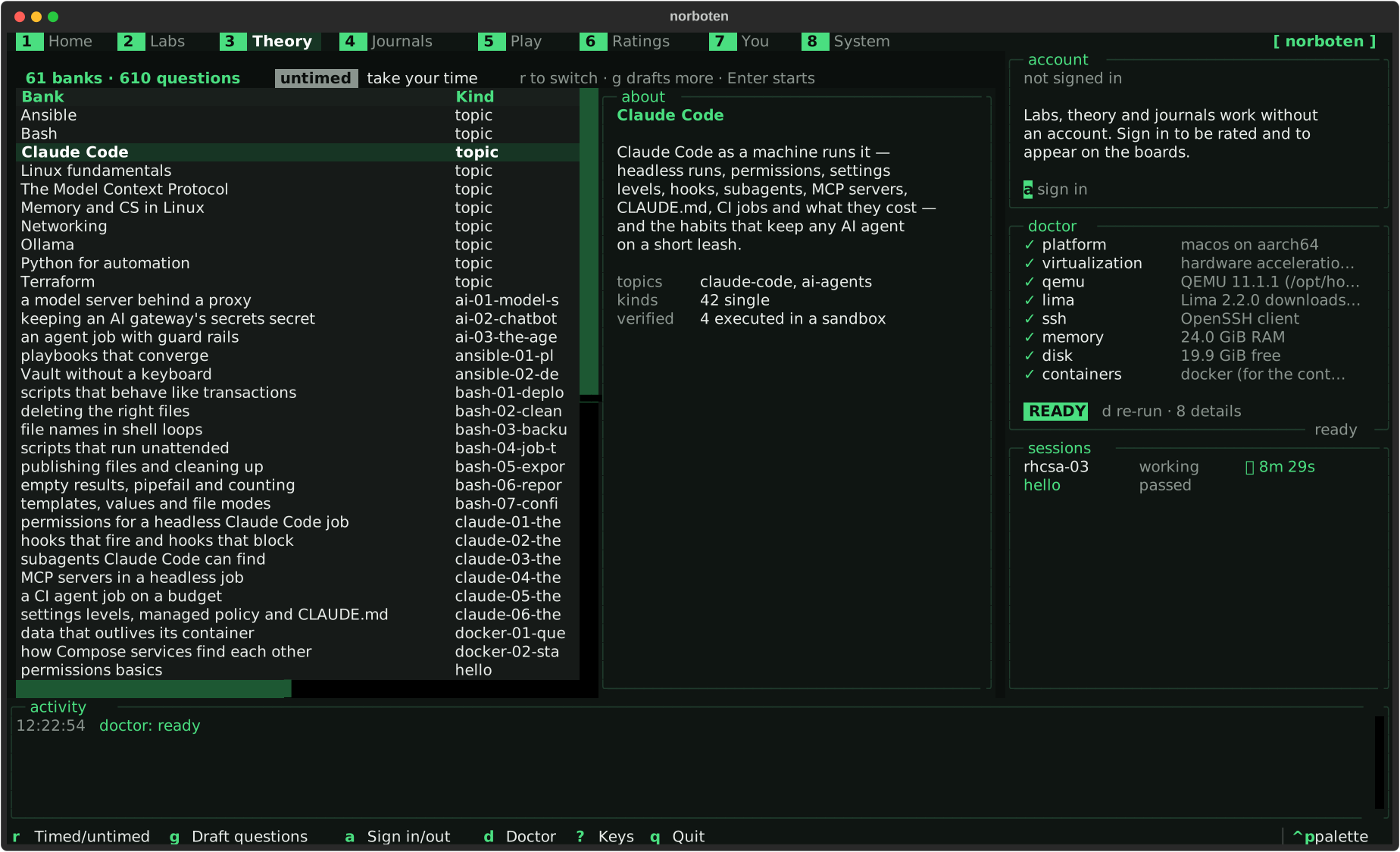
Theory Every bank with your accuracy on it. r times a run; a rated bank is graded on the server.
A question
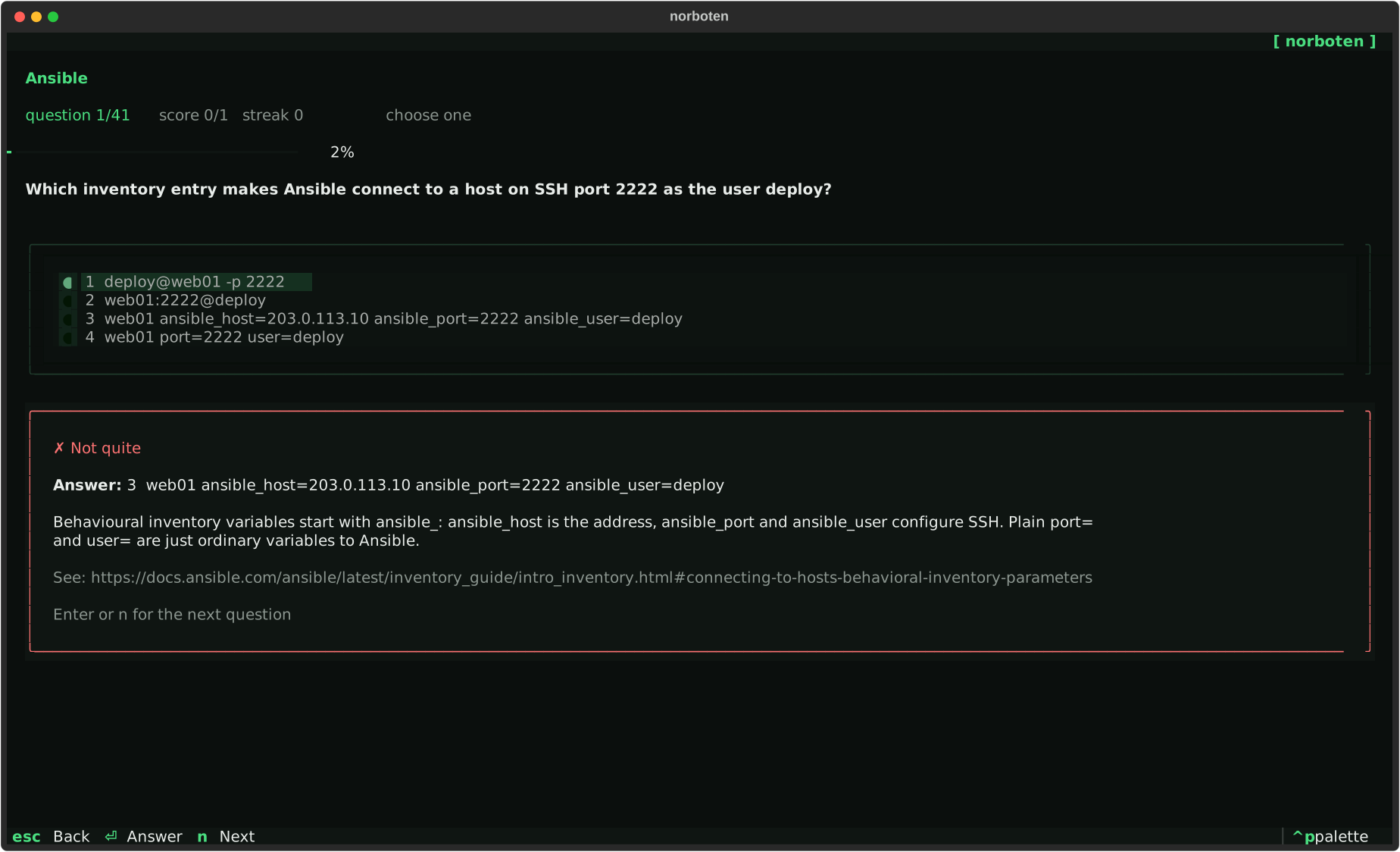
A question The answer, and why, after every question — right or wrong.
Journals
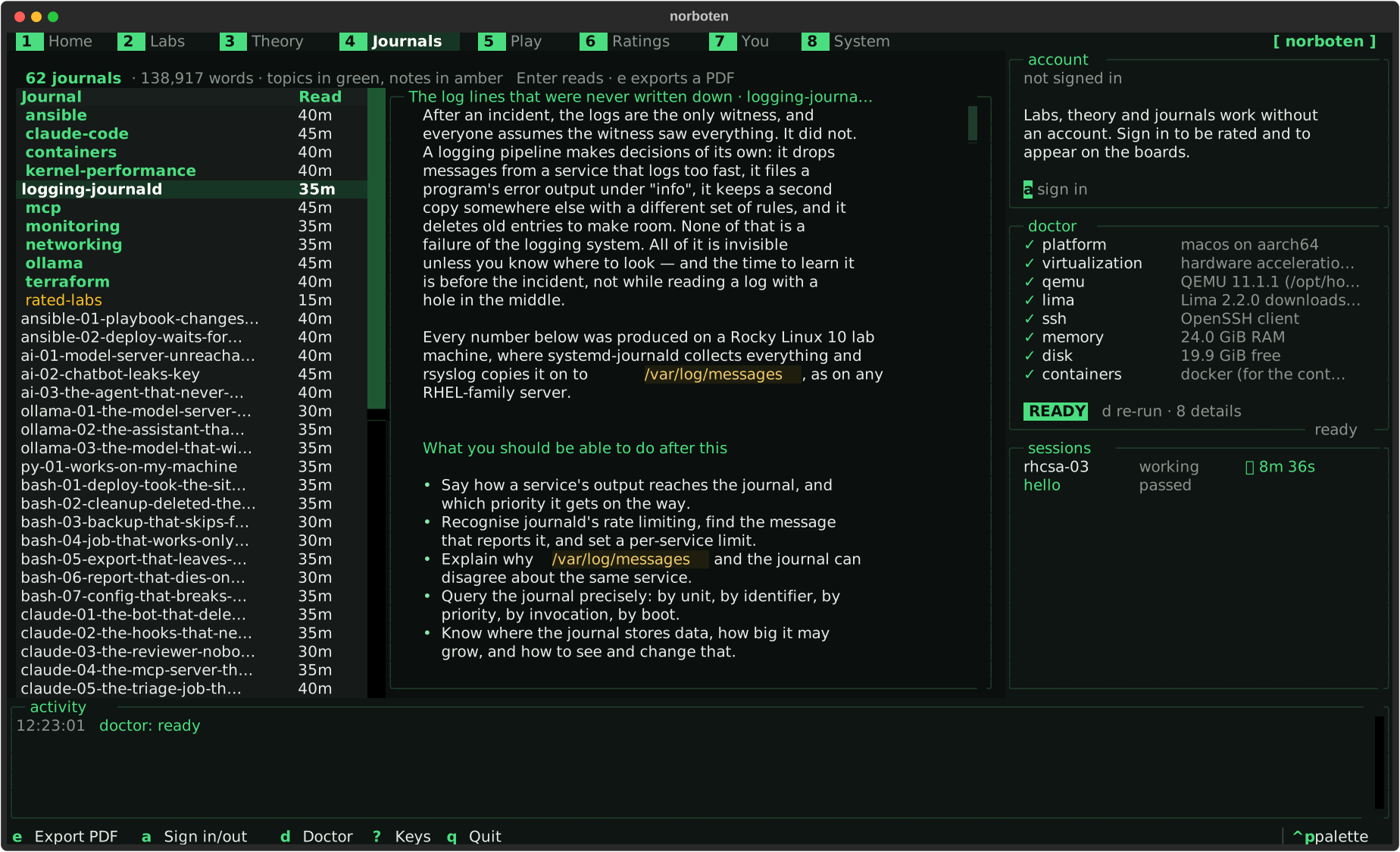
Journals The reading for each lab and topic, rendered in the terminal. e makes a PDF.
Play
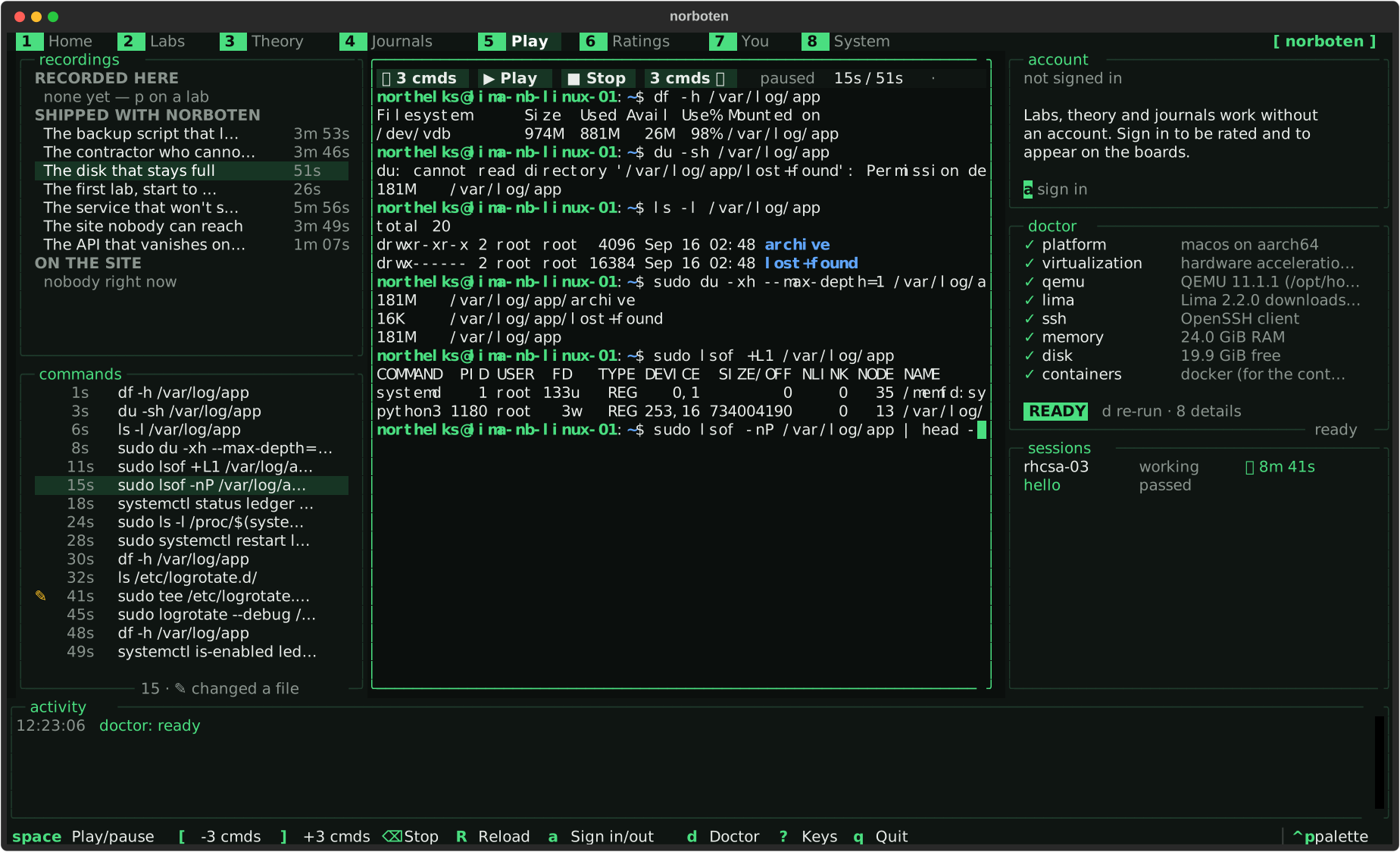
Play Recorded sessions through a real terminal emulator, with ±3-command skips.
Ratings
Ratings The boards, overall and per topic, from the server. Sample accounts shown.
You
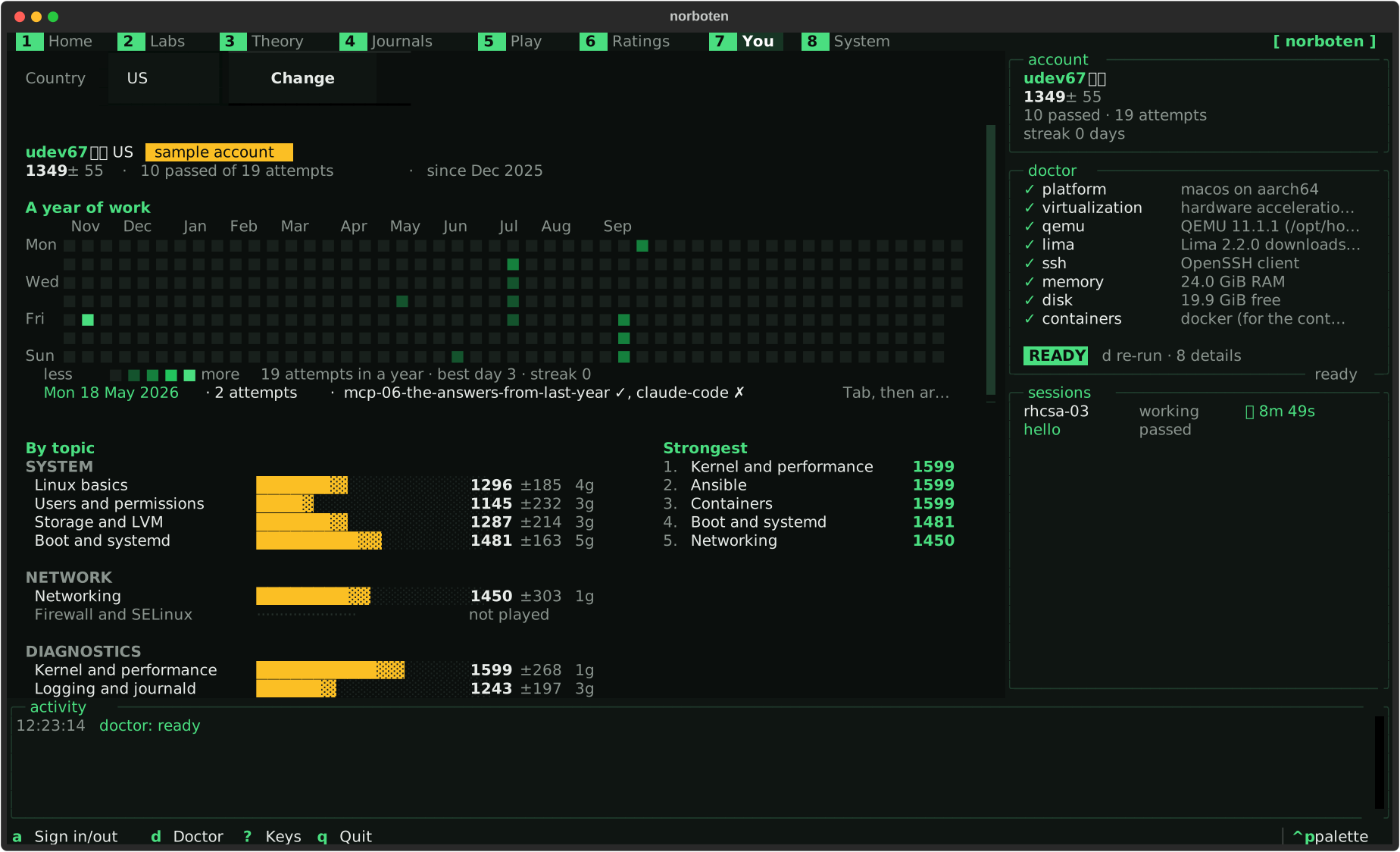
You A year of work, then by topic, then attempts — a sample account's profile.
System
System Doctor in full with the fix for each finding, and the base images.